AI Customer Support: What It Can Handle and How to Start
An AI assistant can take repetitive questions off your team’s plate. Here’s how to pick a first use case, set boundaries and check whether it helps.

What is AI customer support?
AI customer support uses software to answer customer questions, collect details or help agents prepare replies. Start with questions that already have a clear, approved answer, then send exceptions to a teammate with the context they need. If every answer depends on a live order or a decision, start with agent assistance.
Think about delivery. If the published policy says weekday orders placed before noon usually ship that day, an assistant can explain that policy. For “Will my order arrive tomorrow?”, the answer depends on an order, a destination and a carrier. One missing detail can turn a helpful reply into a promise your team has to undo.
Which questions are a good fit for AI?
Look for repeat questions with stable answers and low consequences if a customer needs extra help. Common starting points include published opening hours, standard return windows and shipping methods. A team can also use AI to collect missing details for a quote before a person decides what to offer.
- Answer directly. Use the approved policy or product page for straightforward questions.
- Ask one useful question. Request the model number, postcode or another detail that changes the answer.
- Hand over. Route complaints, policy exceptions and requests to speak with a person.
- Check the source. Before connecting live data, confirm what the assistant may read and which facts it can safely share.
A study of 5,179 support agents found that access to an AI assistant increased issues resolved per hour by 14% on average in the workplace studied. That result is a useful reason to set a baseline in your own team. The study measured assistance given to human agents. Brynjolfsson, Li and Raymond, NBER, 2023
What does a small rollout look like?
Picture an online home-goods business where two people pack orders and answer Instagram messages. They can start with the last 20 threads and write approved answers to the three most frequent questions. Keep the exceptions beside the answers so the assistant knows when to ask for help.
In CatchGrow, that team could start with one messaging channel and use its knowledge base for approved replies. A customer asking whether the team ships to a published destination gets an answer. Someone requesting a delivery exception goes to a teammate who can check.
Read one week of conversations before you expand. Count correct answers, useful handoffs and replies someone had to fix. Our one-channel AI pilot guide has a simple baseline you can adapt.
What should you look for in AI customer support software?
Test the software with your actual workflow. Check how it handles an unavailable answer, whether an employee can see and take over the thread, and what data moves to your CRM. A tool that does all three on a real support scenario is easier to evaluate than a long list of features.
If your support and sales teams work in different systems, use the CRM integration checklist. If the hard part is deciding when people should step in, start with the human handoff guide.
If you need help setting it up, compare a service firm with in-house software. Regulated teams can use the HIPAA and PHI evaluation guide.
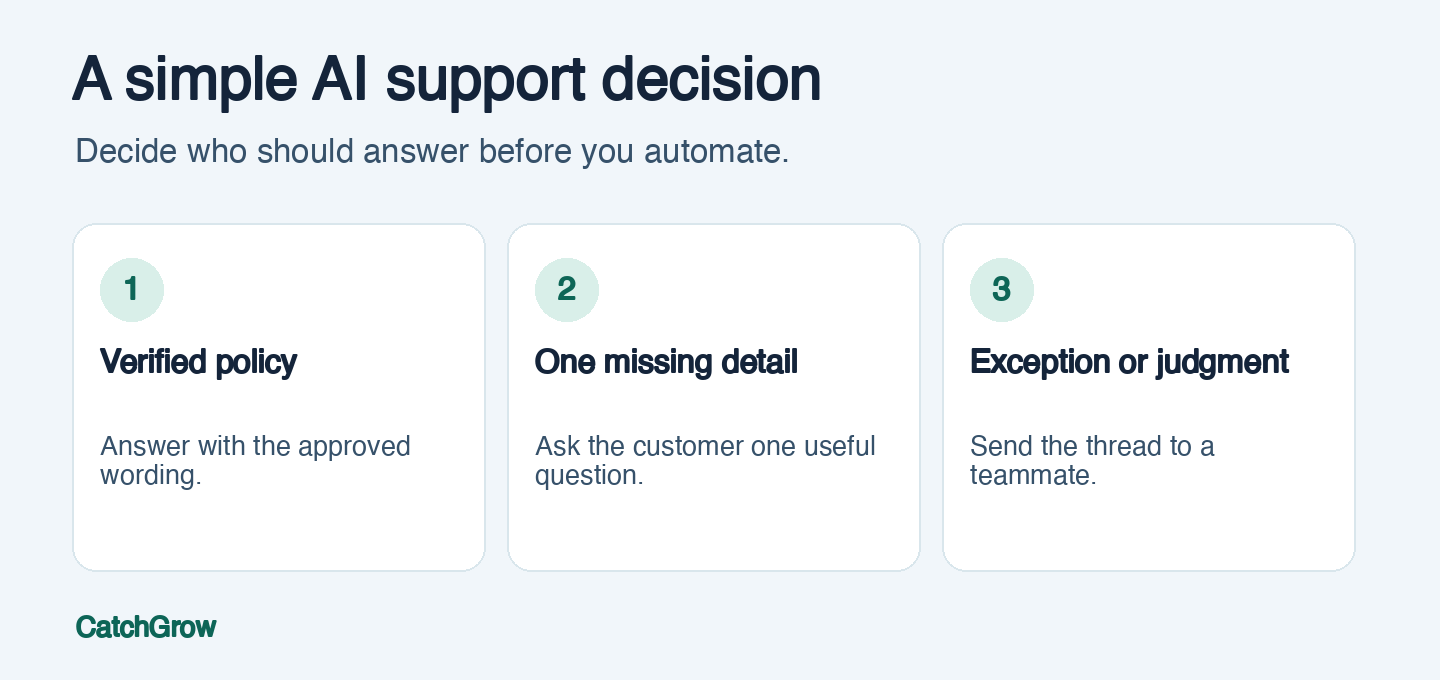
Photo by Solé Gomez via Pexels.
FAQ
What is the easiest customer support task to automate with AI?
Start with a frequent question that has a stable, approved answer, such as a shipping method or return window. Assign a person to handle exceptions.
Can AI replace a customer support team?
AI can handle repeat questions and help collect context. Keep people available for requests that need judgment, an exception, or a conversation with a human.
How do you measure AI in customer support?
Track correct answers, resolutions, useful handoffs and corrections. Compare the same types of customer requests before and during the pilot.